The World of IAM Is Full of Acronyms. How Do You Navigate IDM, IGA, AM, PIM, and PAM?
7. 10. 2026
The World of IAM Is Full of Acronyms. How Do You Navigate IDM, IGA, AM, PIM, and PAM?
7. 10. 2026
In practice, organizations have different views of what IAM actually includes. Some focus primarily on user authentication, single sign-on (SSO), and multi-factor authentication (MFA). Others use the same acronym to cover the lifecycle of identities, accounts, and access rights as well. And a system that an organization has called IDM for years may in fact handle a significant portion of what is now commonly referred to as IGA.
That is not necessarily a mistake.
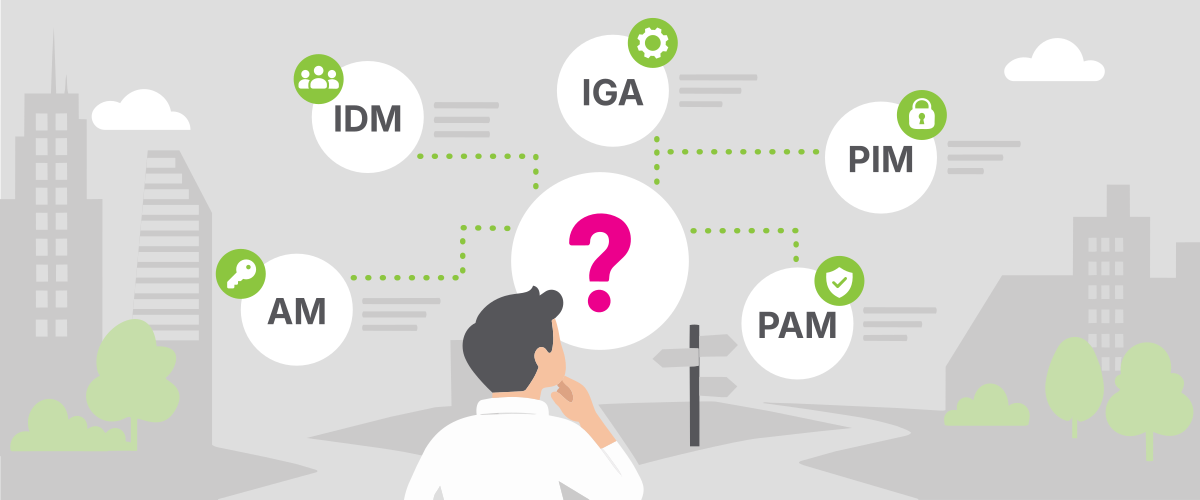
IAM, IDM, IGA, AM, PIM, and PAM all have their definitions, but in practice, the boundaries between them are not always clear-cut. Vendors and organizations use the terms differently, products overlap in functionality, and the terminology itself continues to evolve.
That is why, when designing an architecture, selecting technology, or defining requirements, there is a more important question than the acronym itself:
Which part of identity and access management do we need to address, and what should a particular system actually do?
For a basic overview, we can start here: IAM is the umbrella term for managing identities and access. It includes several areas:
IDM primarily manages the lifecycle of identities and accounts.
IGA governs and controls access rights — who should have them, why, and who is accountable for them.
AM handles identity verification and access at the moment a user or system actually attempts to use a service.
PIM manages privileged permissions — when and under what conditions an identity can obtain elevated privileges, and for how long.
PAM protects privileged accounts, credentials, and privileged sessions.
The differences become much clearer when we look at a specific example.
One person, several areas of IAM
Imagine that David joins an organization as an application administrator.
The HR system already contains information about David’s start date. But David does not yet exist in the organization’s other systems. He has no account, no assigned permissions, and no administrative access to the production environment.
When David joins the organization, the lifecycle of his digital identity begins. Over time, several different areas of IAM become involved.
IDM: David first needs to exist in the digital environment
Identity Management, or IDM, primarily deals with managing digital identities and their associated accounts throughout their lifecycle.
Information about David joining the organization may come from the HR system, for example. Based on that information, IDM creates a digital identity and makes the required changes in connected systems. It may, for example:
create an account in the directory service;
create an email mailbox;
create accounts in internal applications;
synchronize David’s name, organizational information, and other attributes.
The same principle applies when something changes.
If David moves to another team or takes on a new role, the change also needs to be reflected in his digital identity and associated accounts. When he leaves the organization, those accounts need to be disabled or removed in a timely manner.
Typical concepts associated with IDM therefore include provisioning, synchronization, and deprovisioning.
IDM: Who or what should exist in our digital environment, and how does that identity change over time?
And identities are not limited to employees. Digital identities may also represent contractors, customers, technical and service accounts, applications, automated processes, or other machine identities.
IGA: The account exists. But what is David allowed to do?
The fact that an account exists does not tell us what its owner is allowed to do.
David may, for example, need access to monitoring and ticketing systems. But he may not normally need access to certain parts of the production environment. Some combinations of permissions may also create security risks.
This is where Identity Governance & Administration, or IGA, comes into play.
IGA determines which access rights identities should have, which rules govern their assignment, who makes the decisions, and how their continued appropriateness is reviewed over time.
This typically includes:
defining roles and rules for assigning access;
access requests and approvals;
rules for time-limited access;
regular access reviews and recertification;
Segregation of Duties (SoD) rules;
an audit trail of access decisions;
rules for modifying or removing access when a role changes or the business need no longer exists.
The difference between IDM and IGA becomes particularly clear when David changes roles.
IDM addresses: Which accounts and identity data need to be updated as a result of the change?
IGA addresses: Which permissions should David no longer have, which new ones does he need, and who is accountable for granting them?
IGA: What is an identity allowed to do, why is it allowed to do it, and who is accountable for that access?
The boundary between IDM and IGA is one of the least clear-cut.
Modern IGA platforms often provide provisioning and deprovisioning themselves. At the same time, systems that organizations have historically referred to as IDM may include roles, workflows, approvals, and other governance capabilities.
That is why, when designing an architecture, it is not enough to say, “We have IDM” or “We need IGA.”
What matters is which specific processes and capabilities the system actually covers.
AM: David needs to sign in
David opens a company application in the morning.
At this point, the main question is no longer why his account was created several months ago or who approved his access. We need to determine who is signing in right now and whether the conditions for access have been met.
That is the role of Access Management, or AM.
It typically includes:
authentication;
multi-factor authentication (MFA);
single sign-on (SSO);
identity federation;
session management;
conditional or adaptive access;
access policy evaluation.
AM therefore comes into play primarily when an identity attempts to access a specific application, service, or other resource.
The system can verify that it really is David signing in, request an additional authentication factor, and use the configured policies to determine whether the conditions for access have been met.
AM: Is this really David, and can we grant him access under the current conditions?
PIM: When David needs administrative privileges
David is an application administrator and occasionally needs elevated privileges to do his job. That does not mean those privileges need to remain active all the time.
This is what Privileged Identity Management, or PIM, addresses. It governs when and under what conditions an identity can obtain or activate privileged permissions. David can request the rights he needs when he actually needs them, potentially subject to approval and only for a limited period of time.
PIM supports the principle of least privilege by reducing the amount of time privileged permissions remain active.
PIM: When and under what conditions should an identity receive privileged permissions?
PAM: When David uses a privileged account to access production
David is an application administrator and needs to make a change directly in the production environment. He already has the required permissions — now he needs to use them securely.
This type of access presents significantly greater risk than ordinary application usage. A privileged account may allow someone to modify configurations, create additional users, work with sensitive data, or interfere with security controls.
That is why we have Privileged Access Management, or PAM.
PAM protects privileged accounts, credentials, and privileged sessions themselves. It can provide capabilities such as:
separating standard user accounts from administrative accounts;
securely storing privileged credentials;
regularly rotating credentials;
managing privileged sessions;
monitoring or recording those sessions.
PAM is not limited to traditional administrator accounts used by employees. It may also cover privileged service accounts, technical identities, or credentials used by applications and automation.
PAM: How do we protect privileged accounts, credentials, and sessions while they are being used?
IAM encompasses IDM, IGA, AM, PIM, and PAM
Identity & Access Management is the broader discipline concerned with digital identities and their access to systems, applications, and data. IDM, IGA, AM, PIM, and PAM represent different areas within that space.
Area
Key question
Typical capabilities
IDM
Who or what exists in the environment, and how does the identity change over time?
This classification is intentionally simplified. It does not mean, for example, that IGA must be technically separate from IDM, that PIM always has to be a standalone system, or that a particular product cannot cover several of these areas at once.
When the different areas of IAM do not work together
For the sake of clarity, we can describe the individual areas of IAM separately. In a real-world environment, however, they operate as an interconnected whole.
The real problem is therefore not so much what we call the individual areas, but what happens when the links between them are missing.
For example:
We have automated provisioning, but no governance. Accounts are created quickly and automatically. But the organization cannot reliably demonstrate why a particular person has certain access or who approved it.
We have a sophisticated approval process, but changes are not applied everywhere. The process correctly determines that a user should lose a particular permission. But if that change is not actually implemented in the target system, the risk remains.
We have MFA, but the account should have been removed long ago. Strong authentication does not solve the problem of an identity that should no longer exist in the environment.
We have PAM, but it is unclear who should be allowed to obtain privileged access. Protecting the privileged session itself is not enough if the rules governing who can be granted privileged access are not well defined.
It is in connections like these that we see whether an organization is truly managing identities and access — or merely operating several separate technologies.
In practice, it is not about the acronyms
Terminology helps create a common language among architects, security teams, IT operations, application owners, and vendors. But terminology alone does not tell us whether an organization is managing identities and access effectively.
What matters is that the individual areas work together and collectively cover the full lifecycle of identities and access.
A well-designed IAM environment is an interconnected one in which the organization can reliably answer a fundamental question:
Who has access to what, why do they have it, how did they obtain it, under what conditions do they use it, and when should that access be removed?
To provide the best possible service, we use technologies such as cookies to store and/or access device information. Consent to these technologies allows us to process data such as browsing behavior or unique IDs on this website. Refusal or withdrawal of consent may adversely affect certain features and functions.
Functional
Always active
Technical storage or access is strictly necessary for the legitimate purpose of enabling the use of a specific service explicitly requested by the subscriber or user, or solely for the purpose of transmitting a communication via an electronic communications network.
Preferences
Technical storage or access is necessary for the legitimate purpose of storing preferences that are not requested by the subscriber or user.
Statistics
Technical storage or access used exclusively for statistical purposes.Technical storage or access used exclusively for anonymous statistical purposes. Without a court order, voluntary disclosure by your Internet service provider, or additional records from a third party, information stored or collected solely for this purpose cannot generally be used to identify you.
Marketing
Technical storage or access is required to create user profiles for the purpose of sending advertisements or tracking users on a website or across multiple websites for similar marketing purposes.






 IDM
IDM IGA
IGA AM
AM PIM
PIM PAM
PAM